Build Reliable AI Workflows Visually

Connect documents, data, AI models, Python and APIs in one workflow. Add human review where it matters, inspect every step, and run it again whenever you need to.

Free forever · no card Bring your own model key Export to Python
app.qmerse.com
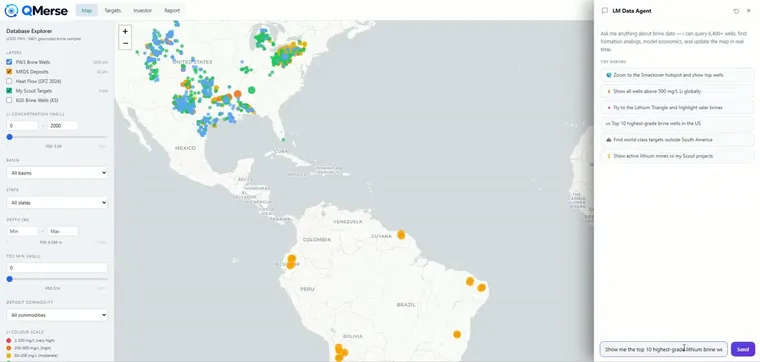
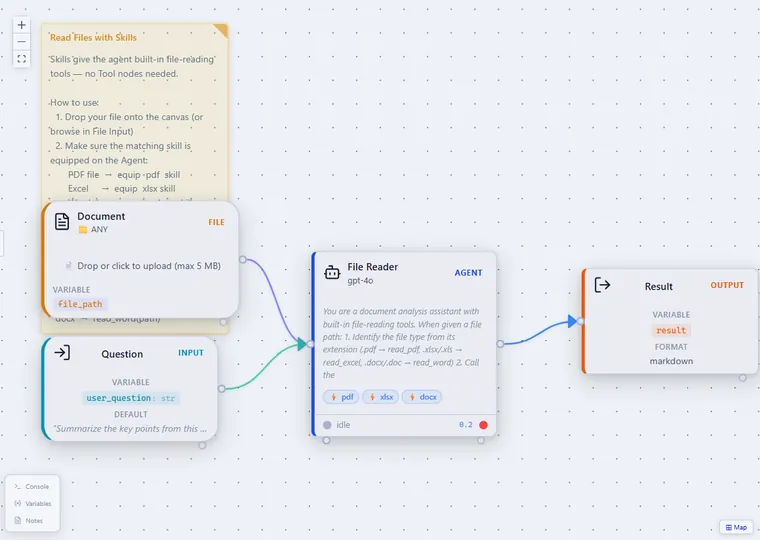
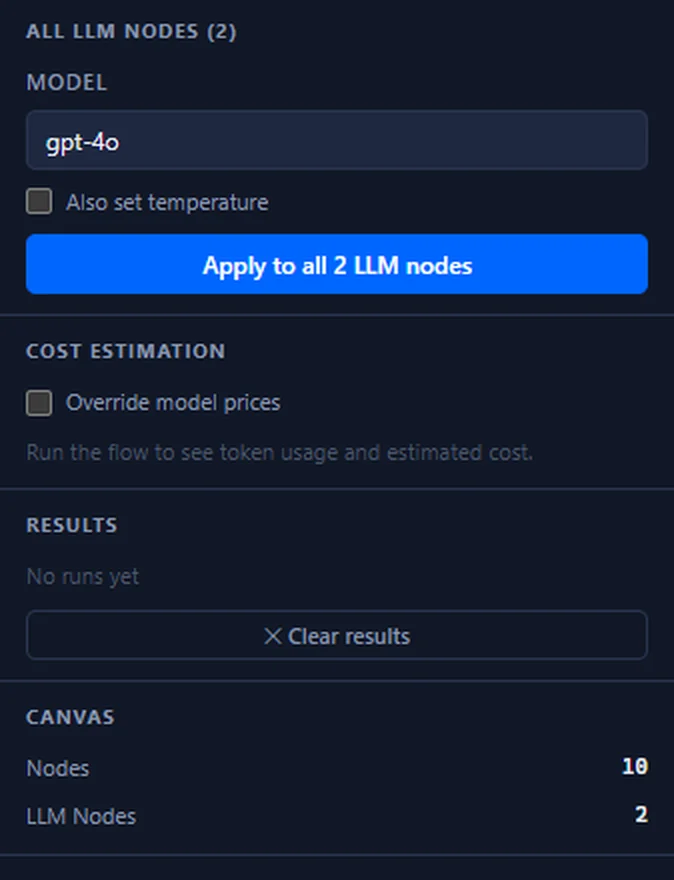
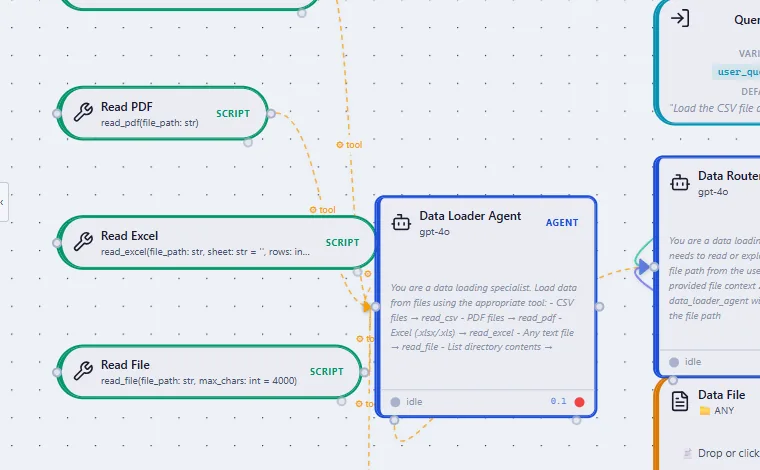
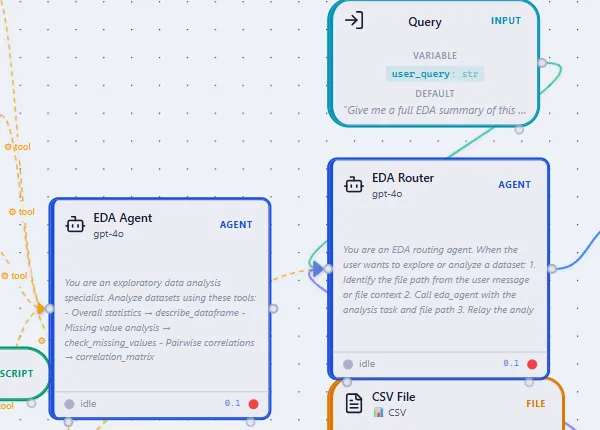
The QMerse visual canvas — agents wired from data sources through reasoning to a validated result
“
Grid compliance work used to mean weeks of manual assembly just to produce something defensible. QMerse cut that down and kept the audit trail intact. That’s the part that actually matters when the regulator asks questions.
Dr Yousef PipelzadehFounder & CEO, Velon Energy

From Business Process to Repeatable Workflow

QMerse sits between the information your business already has and the decisions someone has to make about it. A process done by hand becomes one you can run again, inspect, and hand to someone else.

What you already have

Documents, spreadsheets, databases, APIs and business tools

QMerse workflow

Extract, analyse, calculate, compare and decide — step by step on the canvas

Human approval

The workflow pauses for a person on the steps that matter

Business output

Structured data, reports, comparisons, alerts or processed documents

The Parts You Wire Together

Start with the files, spreadsheets and APIs you already have. There is no data platform to stand up first.

Visual workflow builder

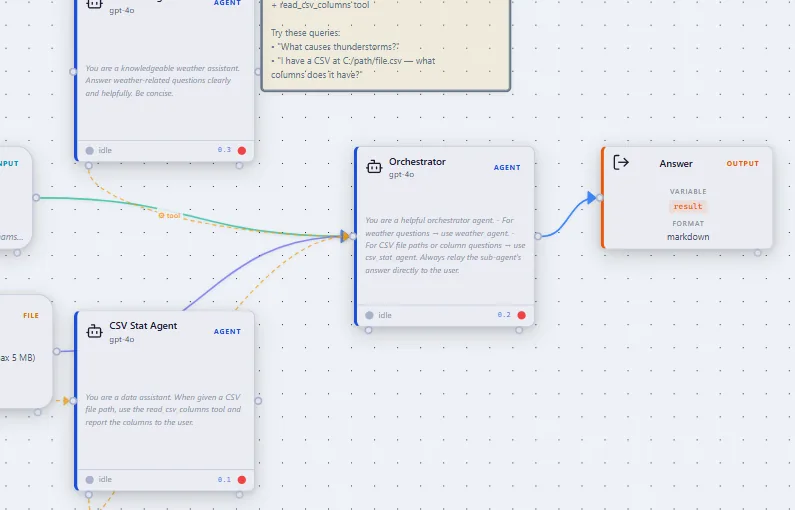
Connect reusable components on a canvas and see the whole process at once, instead of reading it out of a script.

Any model, your key

OpenAI, Anthropic, Azure or a local model, with your own API key. We do not mark up inference.

Python, APIs and your tools

Drop into Python for logic that must be exact, and call the systems your business already runs on — all in the same workflow.

Human approval

Pause a workflow so a person can review or approve an important step. The approval is part of the process, not a note in a handover document.

Inspect every run

Open any step and see what it received, decided and passed on. Run history is kept, so you can show how a result was produced weeks later.

Templates

Start from a template that already runs, then save your own and apply it to the next project, dataset or client instead of rebuilding it.

Workflows People Have Built

Each one runs unattended, keeps its history, and hands back a finished result rather than a chat reply.

Property tax protest

Finds comparable homes, runs the statistics to prove an over-appraisal, maps the evidence, then fills in the official Texas protest form.

Outcome: a completed, ready-to-submit form.

Daily market screening

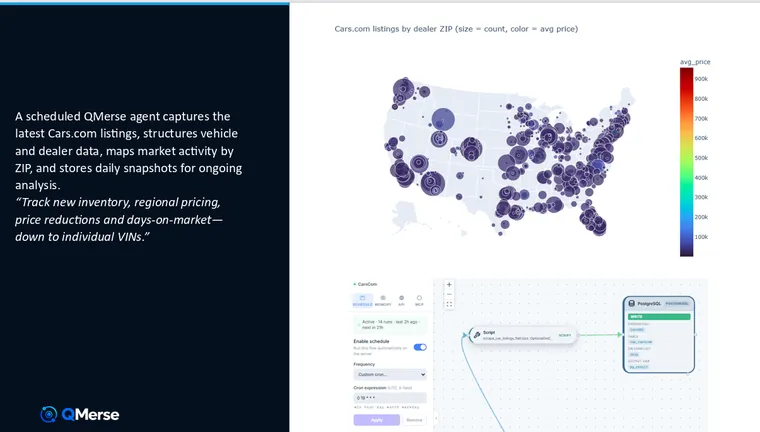
Screens the market every morning, applies your criteria, and appends the results to a dataset that grows with every run — flagging anything that looks wrong.

Outcome: a research dataset that builds itself.

Document review at scale

One extraction across a whole folder of contracts, reports or applications — the same fields from every file, with exceptions ranked for a person to check.

Outcome: a consistent, traceable pass over the whole stack.

Build It Visually. Take the Code With You.

Export compatible pipelines as Python, keep your own model keys, and keep a full history of every run. Your workflow does not depend on us to keep running.

Typical workflow platforms

  • Workflows run inside the vendor’s own runtime
  • Portability depends on their export format
  • The output is data handed off to another system
  • Limited view into how a result was reached
  • Model access routed and billed through the platform

QMerse

  • Export compatible pipelines as Python and run them yourself
  • Deploy that code anywhere — it does not need us to run
  • Ship a working application, with charts people can explore
  • Open any run and see what each agent received and decided
  • Bring your own model key — no markup on inference

Need it inside your own environment? Private deployment is available through an assisted enterprise engagement — talk to us.

Common Questions

Why use QMerse instead of just ChatGPT or Claude?

+

ChatGPT and Claude give you the model. QMerse gives you the system around it — the workflow that combines AI with your data, tools, code, rules and human approvals, and runs the same way every time.

How does QMerse compare to n8n?

+

n8n is strong at connecting applications. QMerse is built for workflows where the hard part is the decision: read the data, run the calculation, have agents interpret it, validate the result, and put it in front of a person. n8n can call a QMerse workflow over a webhook.

Do I need to be an AI developer?

+

No. Domain experts, engineers and analysts build workflows from existing components. Technical users can go further with Python, APIs, custom tools and their own models.

Can someone build it for us?

+

Yes. Zapwiser, the team behind QMerse, can identify, design and implement your first production workflow, then hand it over to your team. How the two fit together.

Build Your First Workflow This Afternoon

Create a free Creator account — no credit card, no time limit.